

Building a library of stock church images doesn’t have to be complicated or time‑consuming. With the right tools, a little teamwork, and some thoughtful social media planning, your ministry can gather beautiful, meaningful images that support communication all year long. These practical ideas help you build a collection that keeps your church website, announcements, and posts visually rich and ministry‑ready.
Build a Vibrant Image Library That Strengthens Your Ministry
Your church has a message worth sharing—and good images help people connect with that message more quickly. Whether you’re updating your website, preparing announcements, or creating festive holiday posts, a growing collection of photos can save time and reduce the weekly scramble for visuals.
Pastors and volunteers often juggle many roles at once, and the last thing anyone needs is to spend hours searching for the “perfect picture.” A thoughtful image library lightens the load. It brings clarity, consistency, and even joy to your communication. Think of it as a ministry toolbox filled with snapshots of God’s work right in your own community.
And here’s the good news: building a library doesn’t require expensive equipment, a professional photographer, or endless downloads. Some of the best images come from everyday ministry moments—the laughter between volunteers, a child holding a craft proudly, or a behind-the-scenes glimpse of your worship team practicing. With a few simple habits—and maybe a dash of humor as someone inevitably photobombs the Christmas rehearsal—you can create a growing resource that truly reflects God’s story in your community.
As your library grows, you’ll begin to notice how much easier communication becomes. Website updates feel more natural, announcements come together faster, and your people feel more connected because they see familiar faces and real moments.
This post will walk you through seven helpful ways to start building a library of church images that support communication, strengthen connection, and make your week just a little easier.
1. Start With a Simple Photo Collection Strategy
A great image library begins with a simple, thoughtful plan. Instead of collecting pictures randomly (or relying on someone’s 2017 phone gallery), decide what types of images your church actually needs throughout the year. Think about your website pages, sermon series artwork, event promotions, and ongoing social media strategies.
When your team knows the goal, capturing photos becomes intentional, not frantic. You’re no longer hoping someone remembered to take pictures—you’re building a rhythm that strengthens communication week after week.
What to Focus On:
- Worship moments that feel natural and reverent
- Community events where your people shine
- Volunteer highlights that celebrate service
- Sermon series theme images
- Seasonal visuals for festive holiday posts
- Baptisms, celebrations, and ministry milestones
- Outreach opportunities and community impact
When you create a rhythm, your communication becomes more unified and welcoming—and your media library begins growing almost automatically.
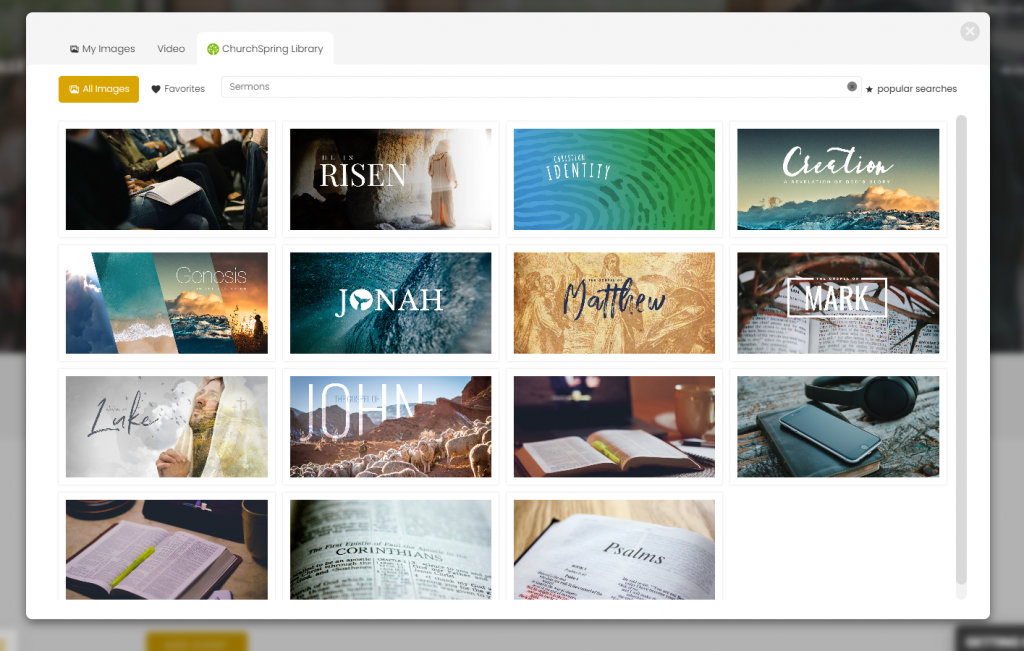
ChurchSpring’s free Media Library gives your team a central place to store, organize, and share your images. Uploads are easy, and the library keeps everything tidy—no hunting through folders or guessing where last year’s Christmas photos went.
“Setting up a website was a breeze, even for those who may not be tech-savvy. The drag-and-drop functionality allows users to customize their site easily.”
Richard M., RTM Ministries
2. Invite Staff and Volunteers to Contribute Photos
You don’t need a professional photographer to capture meaningful moments—some of the best ministry photos are taken by someone who just happened to be in the right place with a smartphone. Encourage staff, volunteers, and ministry leaders to share photos from events, services, and gatherings.
And yes, sometimes you’ll get a blurry shot or an accidental close-up of someone’s elbow. But that’s part of the fun—and part of building a library filled with real church life.
Tips for Team Contributions:
- Create a shared folder for weekly uploads
- Provide simple photography guidelines (helpful, not intimidating)
- Suggest ideas for candid ministry moments
- Encourage capturing behind-the-scenes life
- Celebrate and thank volunteers who submit photos
A church community sees beauty from many angles—inviting others to contribute creates a richer, more authentic library. Together, you’re documenting God’s work in your congregation.
3. Use Free and Reliable Stock Image Sources
Even with your growing collection of original photos, there will be times when you need a strong visual that your team simply doesn’t have. That’s where free stock image sites come in—they help fill in the gaps and give your communication a polished, excellent look.
Think of stock images as supplemental building blocks. They support your original photos and help you create a well-rounded media library.
Popular Free Image Sources:
These tools are especially helpful when creating graphics, planning sermon artwork, or preparing ready-to-go social media posts. Just be sure to choose images that match your church’s personality and values.
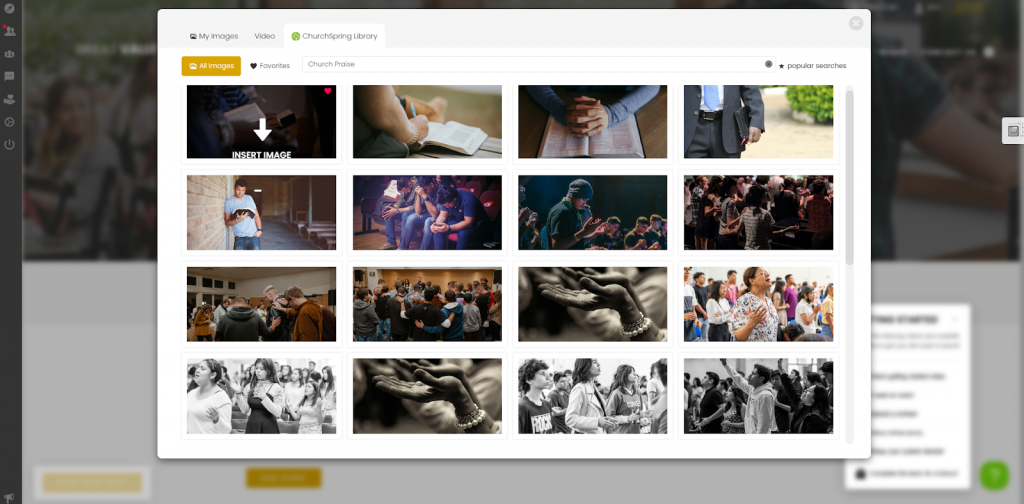
You can upload your favorite stock images straight into ChurchSpring’s Media Library, and you’ll also have access to thousands of free, ministry-appropriate images that are ready to use—keeping everything in one place for easy access when building pages or crafting ready-to-go social media posts.
“Love the access to exceptional photography. Love the ability to post from website to social media.”
Ellaine W., Jessup Grove Baptist Church
4. Create Seasonal Image Collections
Every church moves through a year full of meaningful rhythms—Christmas outreach, Easter celebrations, fall festivals, baptism Sundays, volunteer appreciation events, and more. By intentionally capturing images during each season, you build a resource that becomes more valuable every single year.
Seasonal images help set the tone for your communication. They make your posts feel timely, heartfelt, and connected to what God is doing right now.
Seasonal Ideas:
- Christmas services and rehearsals
- Easter devotionals and baptisms
- Back-to-school outreach moments
- Fall festivals and community nights
- Baptism celebrations
- Volunteer appreciation events and gatherings
Preparing seasonal content ahead of time also supports smoother social media planning, giving you confidence and creativity when those busy seasons roll around.
5. Organize Everything for Fast Use
Even the best image collection becomes stressful if it’s not organized. The goal isn’t perfection—it’s simplicity. A little structure helps your team find what they need quickly, especially when Sunday is approaching fast.
A well-organized library turns the weekly “Where is that picture?!” scramble into calm, confident communication.
Ways to Organize:
- Create folders by ministry or event type
- Sort by season for easy year-to-year use
- Label images with clear names (future you will thank you)
- Keep a “favorites” folder for high-impact photos
- Store high-resolution originals for printing needs
When everything is easy to find, you’ll build a creative image-rich church website without wasting time or energy.
6. Optimize Images for Website Speed and Quality
Images are beautiful—but if they’re too large or uncompressed, they can slow down your website faster than a toddler running away during children’s church. A slow site frustrates guests and affects your search visibility.
Thankfully, optimizing images doesn’t require advanced skills. A few simple habits can make your website look great while staying quick and responsive.
Tips to Improve Speed:
- Compress images before uploading
- Resize images to fit your layout (no giant 12-megabyte photos)
- Use modern formats like WebP for efficiency
- Avoid extremely large resolutions unless printing
- Test mobile speed regularly to ensure smooth loading
These steps help optimize images for faster church websites, providing a smooth experience that welcomes guests rather than slowing them down.
7. Build a Volunteer Photography Team
If your church wants a more consistent and authentic visual style, building a small volunteer photography team can be a meaningful next step. Many people in your church already have an eye for capturing moments—and inviting them to serve this way allows them to use their gifts for the Gospel.
You don’t need a large team or professional experience to get started. Even two or three trusted volunteers who know when to snap photos can dramatically elevate your image library over time.
Ways to Build a Volunteer Photography Team:
- Invite members who enjoy photography or visual storytelling
- Clearly define when and where photos are needed (services, events, outreach)
- Provide simple guidelines, so photos feel consistent and respectful
- Rotate volunteers so no one feels pressure every week
- Celebrate and thank volunteers who help capture ministry moments
A volunteer photography team doesn’t just strengthen your visuals—it builds ownership, discipleship, and community. These shared efforts help tell the story of what God is doing in your church and support future communication, whether you’re refreshing pages or redesigning your website.
Create a Meaningful Image Library That Reflects Your Ministry
Your church’s image library is more than a folder of photos—it’s a visual storyteller for your ministry. Every picture reflects moments of worship, celebration, learning, and belonging. Whether you’re highlighting events or preparing social media posts, these images help people feel connected long before they walk through your doors.
Building this library doesn’t require perfection. It simply asks for intention, teamwork, and a willingness to capture the beauty God is already creating in your community. Over time, these photos become a resource that strengthens communication, reduces stress, and supports your mission to reach, teach, and send disciples.
ChurchSpring’s free Media Library is designed to make this process joyful and manageable—giving your church access to thousands of free, ministry‑relatedimages that are ready to use, while also keeping your own photos organized, accessible, and always ready for ministry.
Try ChurchSpring free for 7 days or join a live demo to see how your team can build meaningful visuals with confidence.
FAQs
1. Do we need professional photographers to build a strong church image library?
Not at all. Many churches build beautiful collections through volunteer contributions and simple photo guidelines. Professionals are helpful but not required.
2. How often should we update our image library?
Monthly or quarterly updates work well. Regular uploads ensure your content stays fresh and supports ongoing communication.
3. Can we use stock images on our website and social media?
Yes. High-quality stock images are a great supplement when original photos aren’t available.
4. Where can I find free images for my church?
Churches can find free images through trusted stock photo sites like Unsplash, Pexels, and Church Media Drop. ChurchSpring’s Media Library includes free ready-to-use, ministry-related images and gives you one place to upload, organize, and reuse visuals across your website and social media—saving time for both staff and volunteers.
5. How can images strengthen our church website?
Strong visuals create warmth, clarity, and connection. When paired with thoughtful communication, they help build a welcoming and image-rich church website.